Independent software · Android + Windows

Practical apps.
Sovereign tools.

Maps, off-grid communication and everyday tools. Purpose-built software for your phone and PC.

BUILT TO EXPLORE. CONNECT. CREATE.
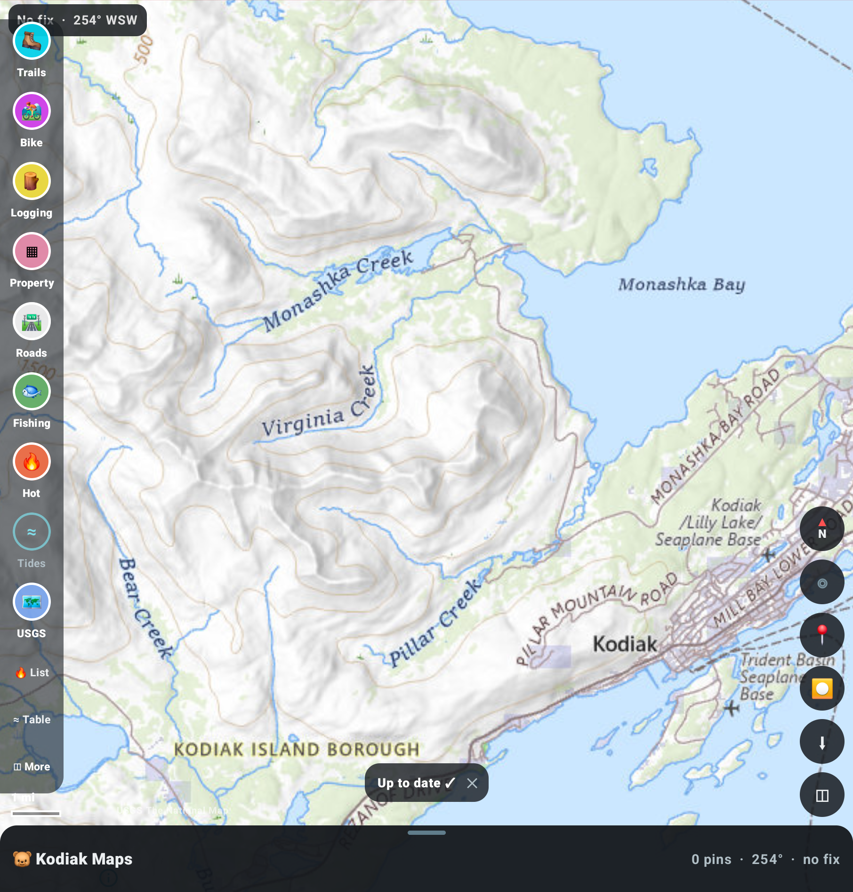
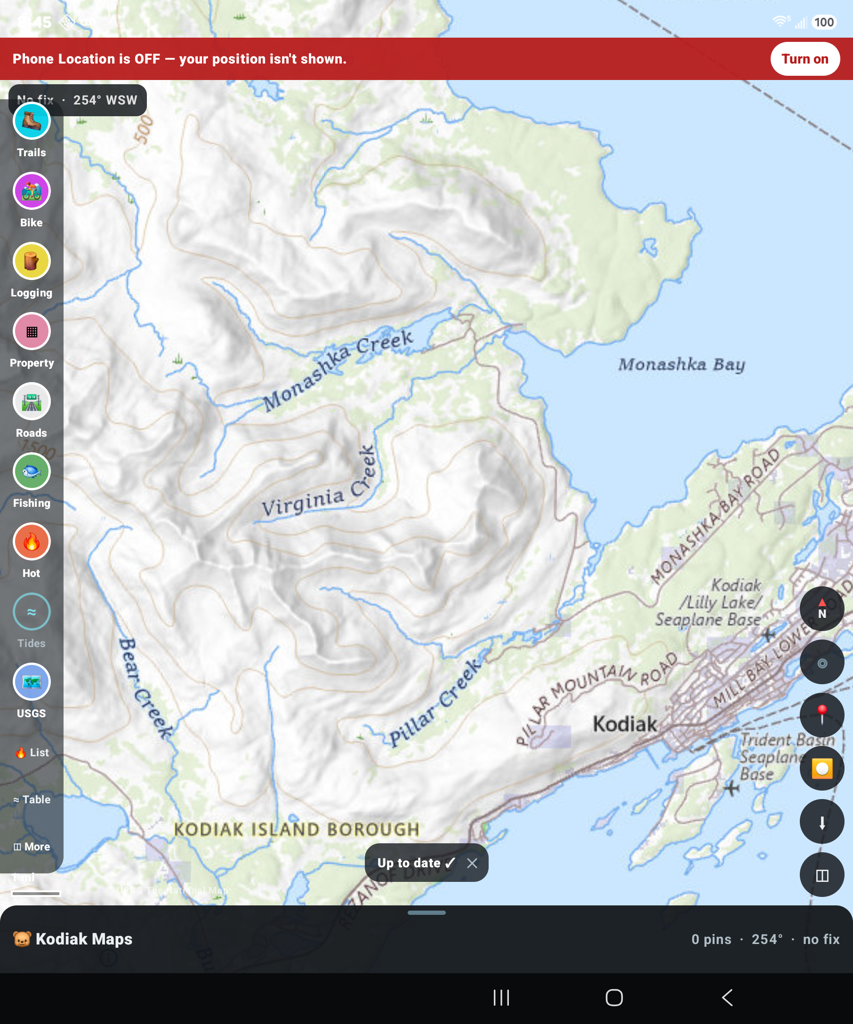
Kodiak Maps showing Kodiak Island
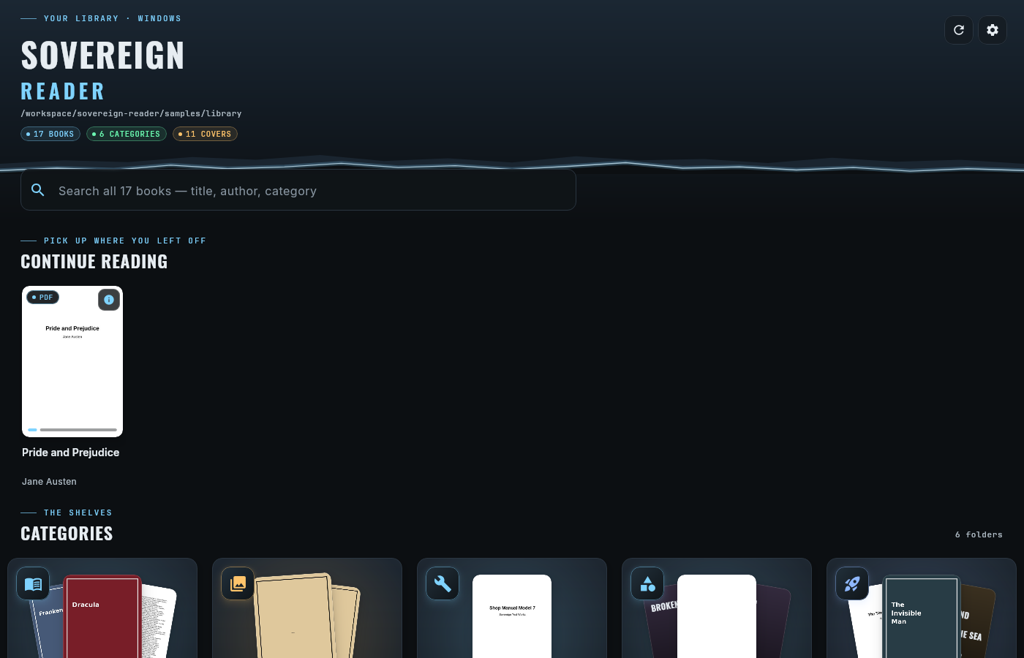
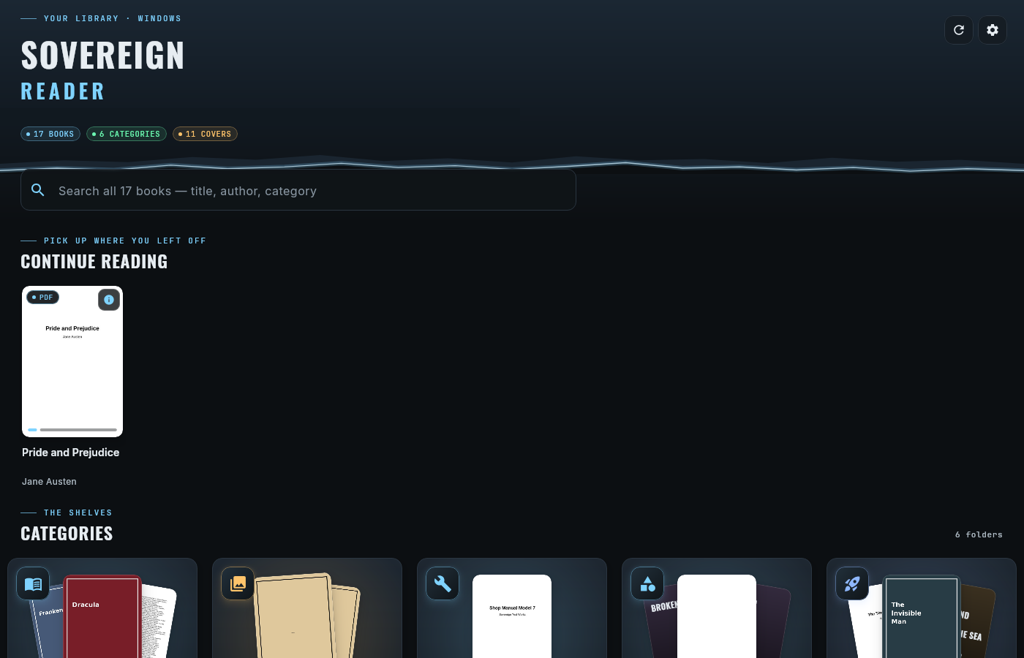
Sovereign Reader for Windows
Actual app interfaces · Kodiak Maps and Sovereign Reader
09Android builds10Windows builds↓Direct downloads
The software collection

Your next useful tool.

Android Windows

Android

09 BUILDS
Kodiak King app iconApp icon
Kodiak King: kodiakking.com home page in the appkodiakking.com home page in the app
Androidv1.2.1

Kodiak King

A mirror of kodiakking.com, packaged as a simple Android app.

Download APK
Kodiak Maps app iconApp icon
Kodiak Maps: USGS topo map of Kodiak IslandUSGS topo map of Kodiak Island
Androidv1.5.15

Kodiak Maps

A map app for Kodiak Island. USGS topo maps you can download for offline use, your GPS position and track recording, and layers for trails, 17(b) easements, roads, land, fishing spots and WWII military sites with photos.

Download APK
Sovereign Comms app iconApp icon
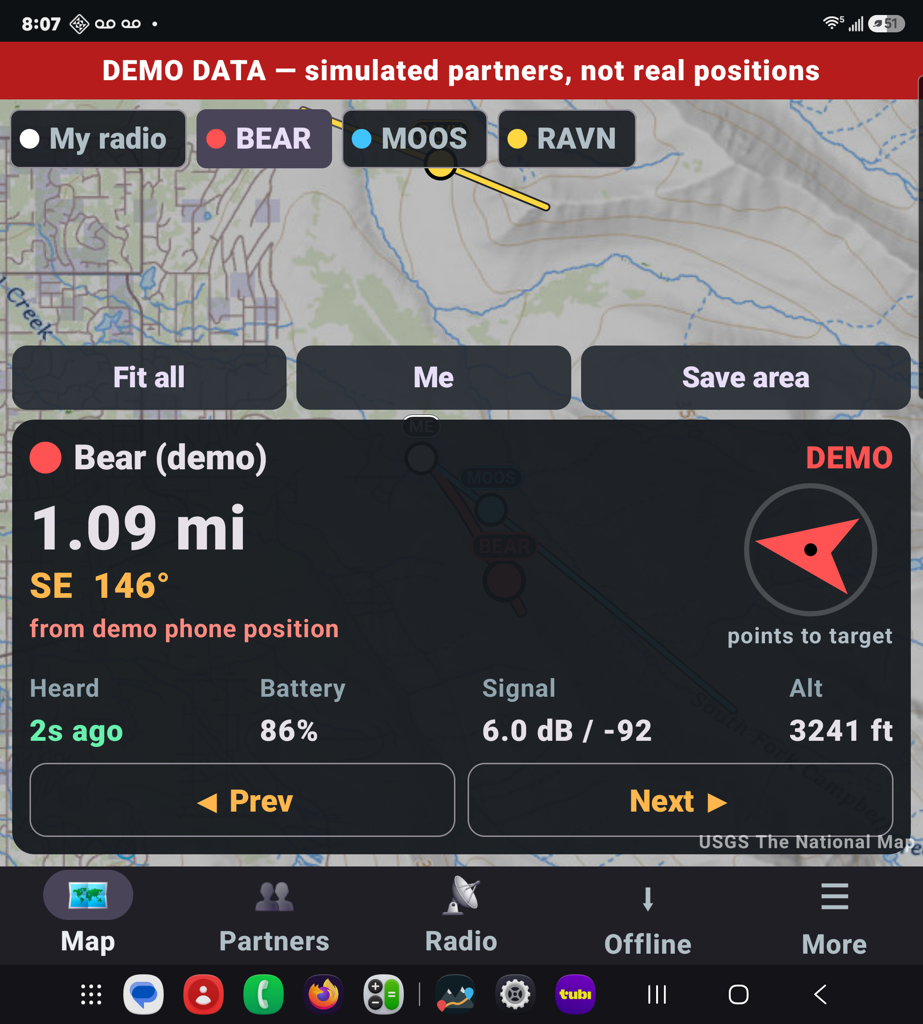
Sovereign Comms: Map and chat with demo positionsMap and chat with demo positions
Androidv2.5.2

Sovereign Comms

Off grid map and communication. Uses end to end encryption. Live map, chat, SOS and calls with your group, and with a Meshtastic LoRa radio the map, texts and SOS work with no cell service. Offline maps of any area, with Alaska 17(b) easements built in.

Download APK
Signal Scanner app iconApp icon
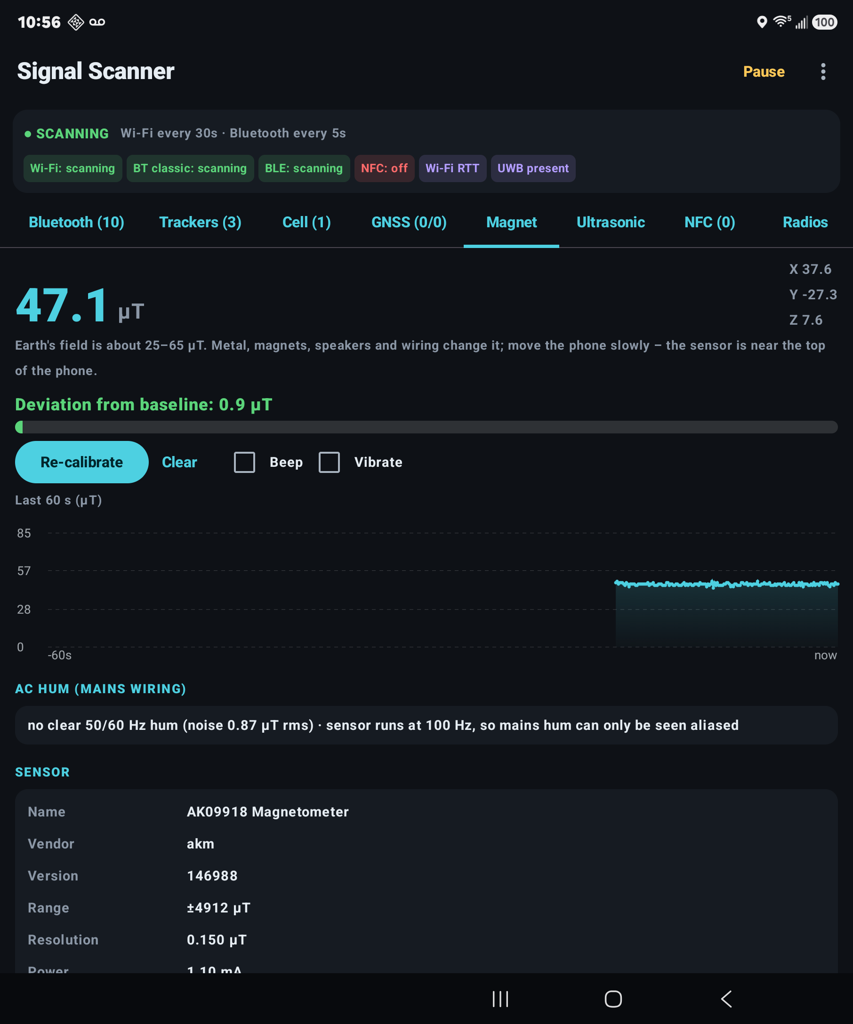
Signal Scanner: Phone sensors while scanningPhone sensors while scanning
Androidv1.6.1

Signal Scanner

Use all the sensors in your phone to see what electronics are around you.

Download APK
Momentum Scanner app iconApp icon
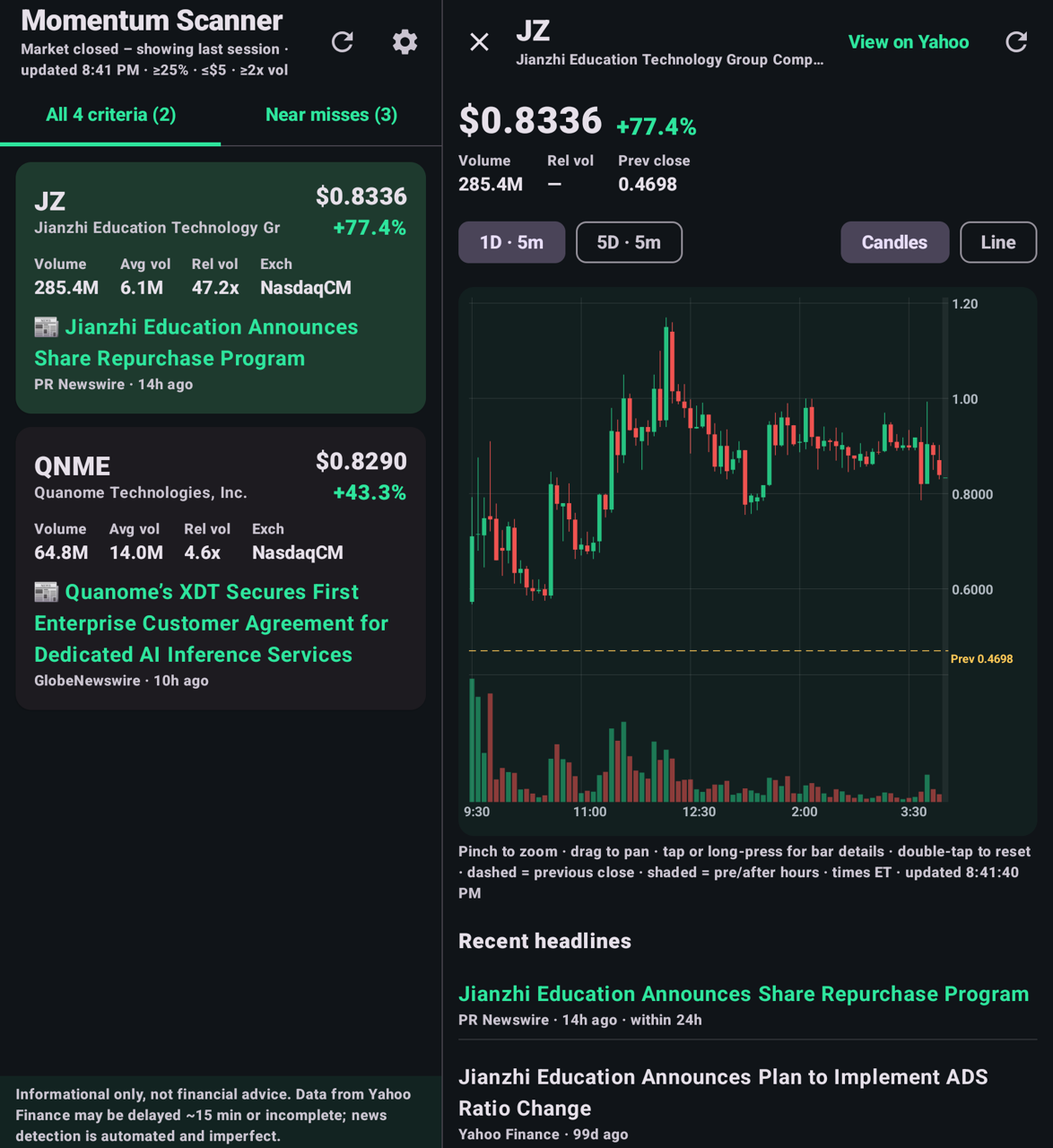
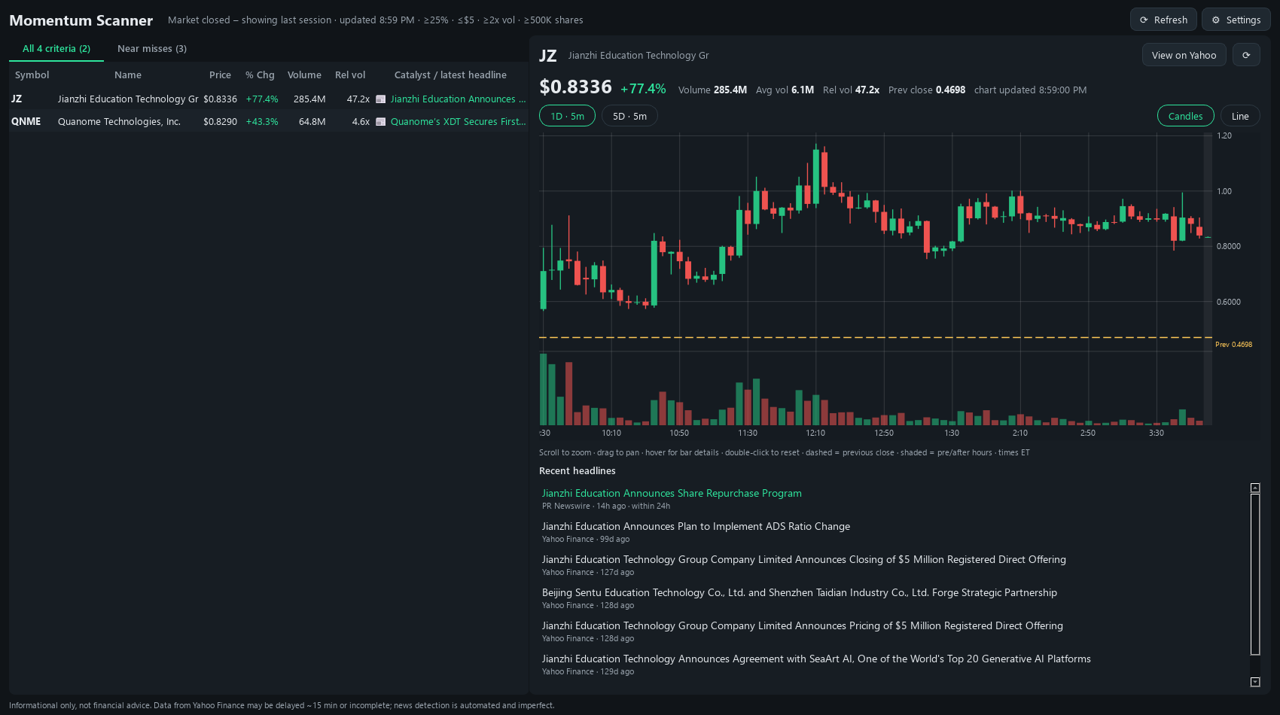
Momentum Scanner: Matches with a price chartMatches with a price chart
Androidv1.3.1

Momentum Scanner

Stock screener. It is pre set, but you can adjust as you want.

Download APK
Packet Monitor app iconApp icon
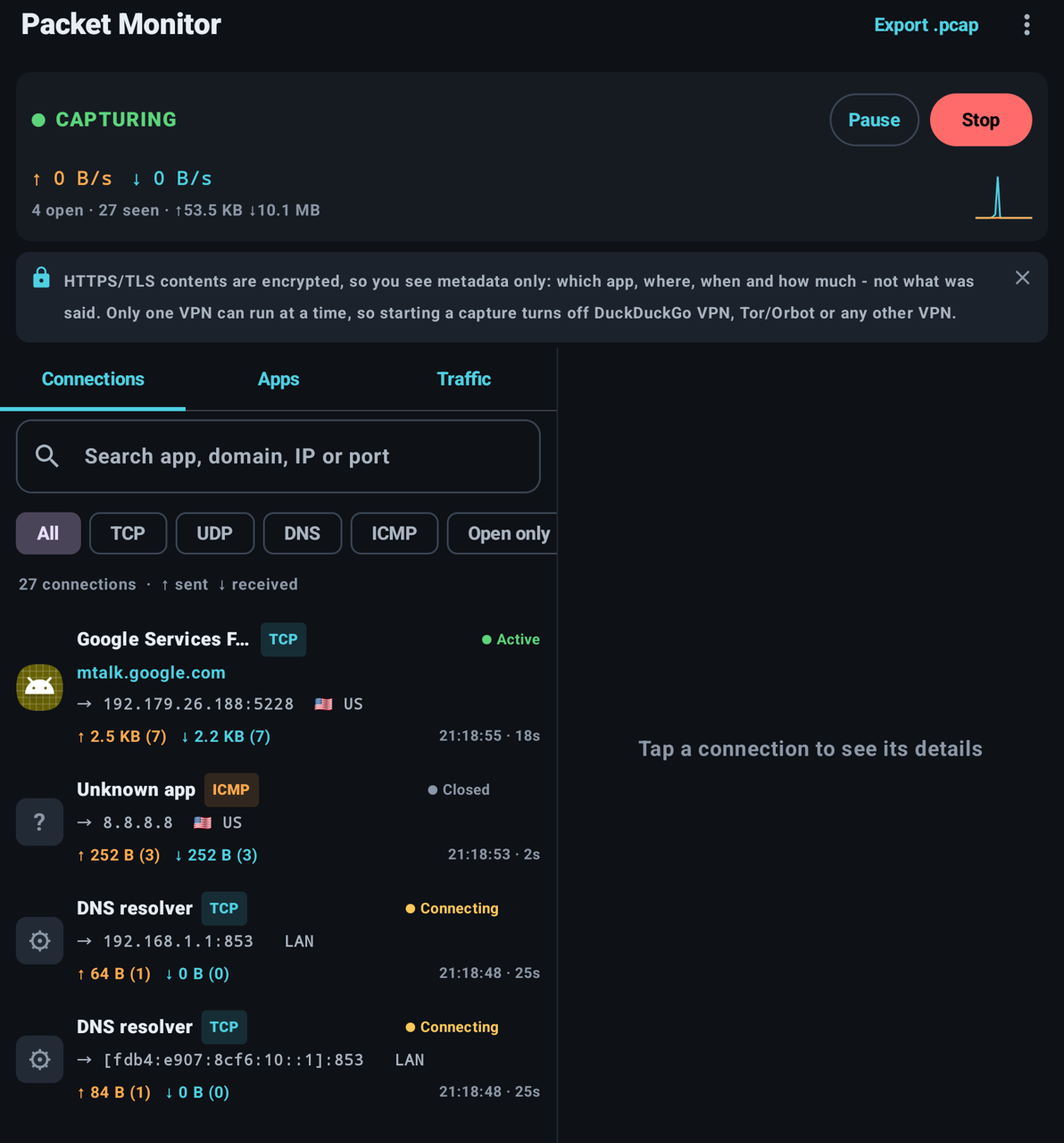
Packet Monitor: Live connections listLive connections list
Androidv1.1.1

Packet Monitor

See what your phone sends and receives, which apps connect where, and other devices on your Wi-Fi. Export captures for Wireshark and get warnings about unknown devices. No root; nothing uploaded.

Download APK
Sovereign CAD app iconApp icon
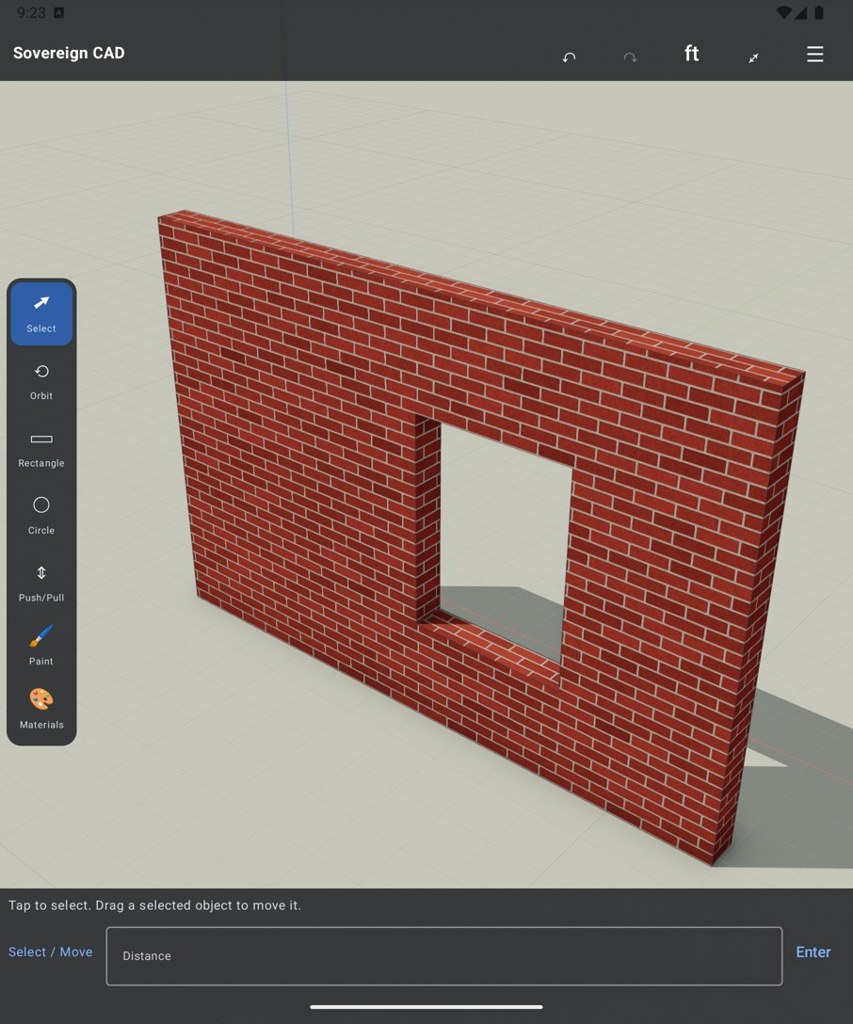
Sovereign CAD: 3D model with brick materials3D model with brick materials
Androidv0.1.1

Sovereign CAD

Design and view 3D building models on your phone, with real materials like brick, concrete, wood and tile.

Download APK
Sovereign Reader app iconApp icon
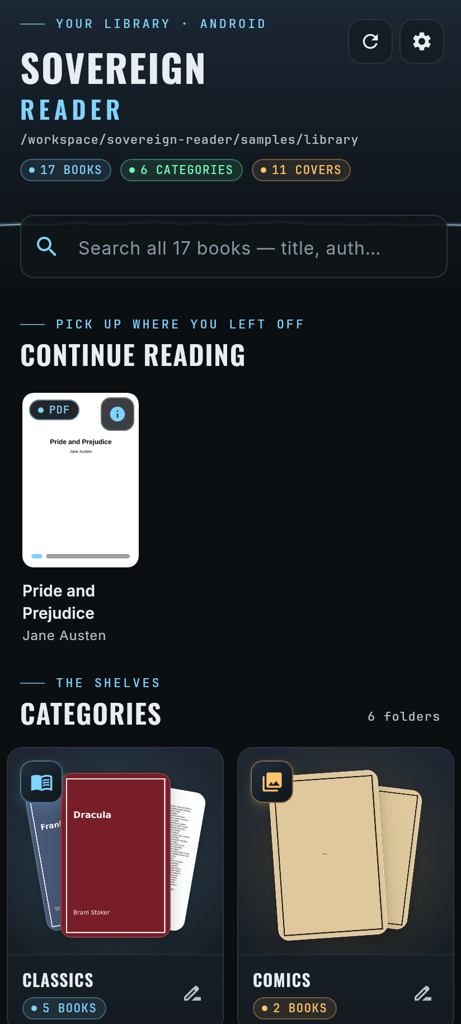
Sovereign Reader: Sample library on AndroidSample library on Android
Androidv0.2.1

Sovereign Reader

A fast e-reader for your own library. Pick a folder and it sorts your books into categories with cover art, author and year, and opens PDF, EPUB, MOBI, AZW, CBZ, CBR, TXT and DOCX. It only reads your folder and never changes your files.

Download APK
Sovereign Paws app iconApp icon
Androidv0.4.3

Sovereign Paws

Keep track of your dogs beyond cell service with a LoRa / Meshtastic collar radio. Start with satellite maps with contours and place names, or switch to USGS topo. Download areas for offline use, name each dog and optionally save their tracks. Add more dogs with a radio for each collar.

Installation & requirements

Each dog needs its own collar radio. A second phone can connect to your already-configured field radio.

Download APK

Windows

10 BUILDS
Sovereign Comms app iconApp icon
Windowsv1.3.3

Sovereign Comms

A home base station for the Sovereign Comms phone app. Join your group with maps, messages, positions, SOS, pins and app-to-app calls. Offline maps, Backtrack and Alaska 17(b) easements built in.

Installation & requirements

Needs: Windows 10/11, 64-bit. Use the same passcode as your phones. A Meshtastic LoRa radio (like the RAK WisMesh Pocket V2) is optional and connects by USB, Bluetooth or Wi-Fi; there is a practice simulator if you don’t have one yet. For calls over the relay, enter the same TURN details as on the phone. 91 MB.

Download ZIP
Packet Monitor app iconApp icon
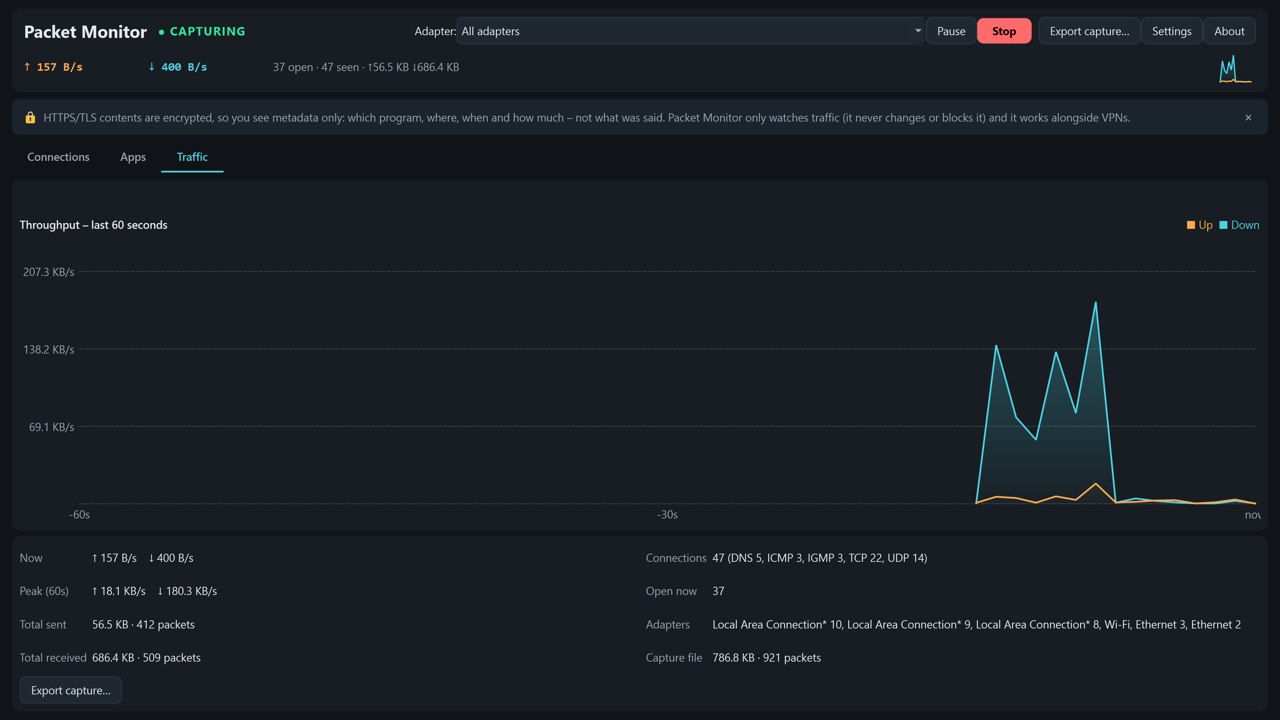
Packet Monitor: Traffic graph for the last minuteTraffic graph for the last minute
Windowsv1.1.1

Packet Monitor

See which programs on your PC are connecting where, and how much they send and receive. It also lists the other devices on your network and opens the capture in Wireshark with one click.

Installation & requirements

Needs: Windows 10/11, 64-bit. Install the free Npcap from npcap.com first (leave “Restrict Npcap driver access to Administrators only” unticked). Wireshark is optional. 38 MB.

Download ZIP
Signal Scanner app iconApp icon
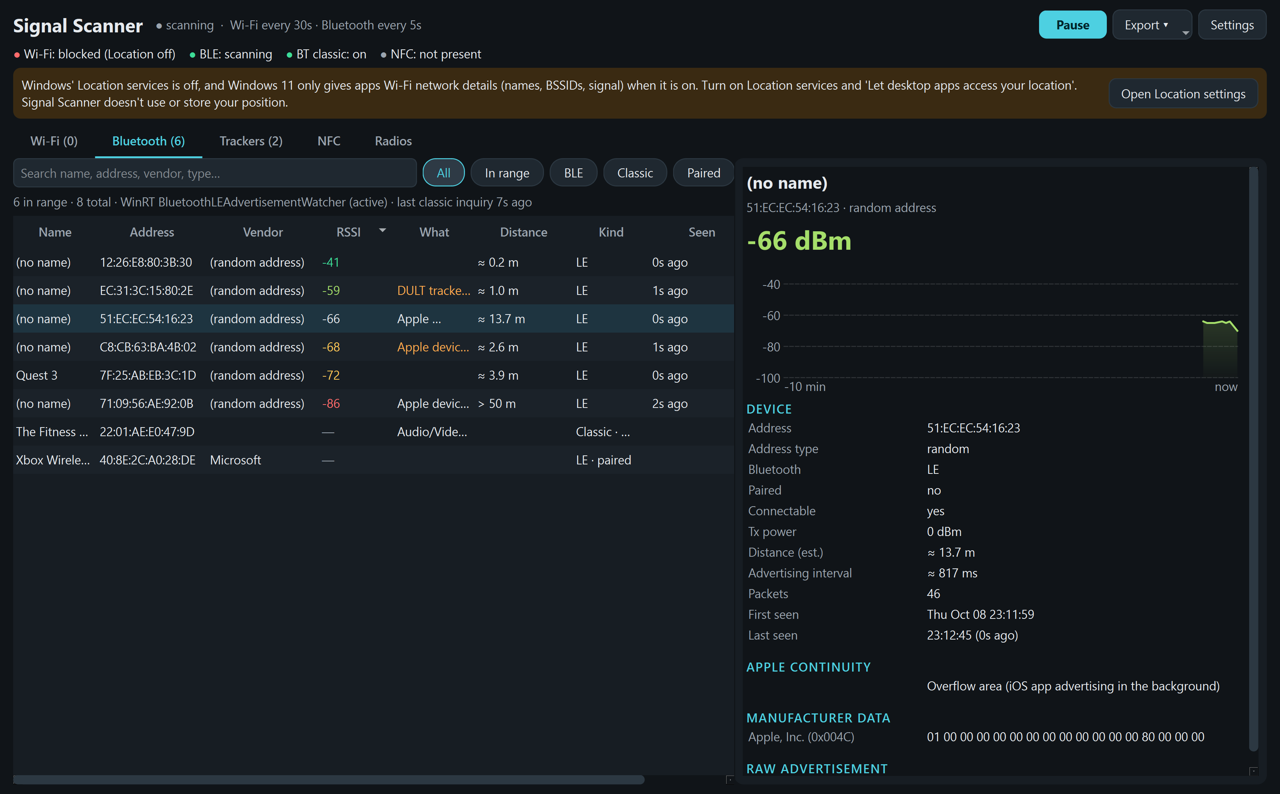
Signal Scanner: Nearby Bluetooth devicesNearby Bluetooth devices
Windowsv1.0.1

Signal Scanner

See the Wi-Fi networks and Bluetooth devices around your PC. It warns you if an unknown tracker (AirTag, SmartTag, Tile and others) keeps showing up near you.

Installation & requirements

Needs: Windows 10/11, 64-bit, with Wi-Fi and Bluetooth. On Windows 11, turn on Location services (and “Let desktop apps access your location”) or Windows hides the Wi-Fi list. The app never reads your position. 38 MB.

Download ZIP
Momentum Scanner app iconApp icon
Momentum Scanner: Matches with a price chartMatches with a price chart
Windowsv1.1.1

Momentum Scanner

Stock screener. It is pre set, but you can adjust as you want. It checks every minute during market hours and pops up a Windows notification when a new stock meets all your rules.

Installation & requirements

Needs: Windows 10/11, 64-bit, and an internet connection. Prices come from Yahoo Finance and may be about 15 minutes behind. Not financial advice. 38 MB.

Download ZIP
Sovereign Phone Lab app iconApp icon
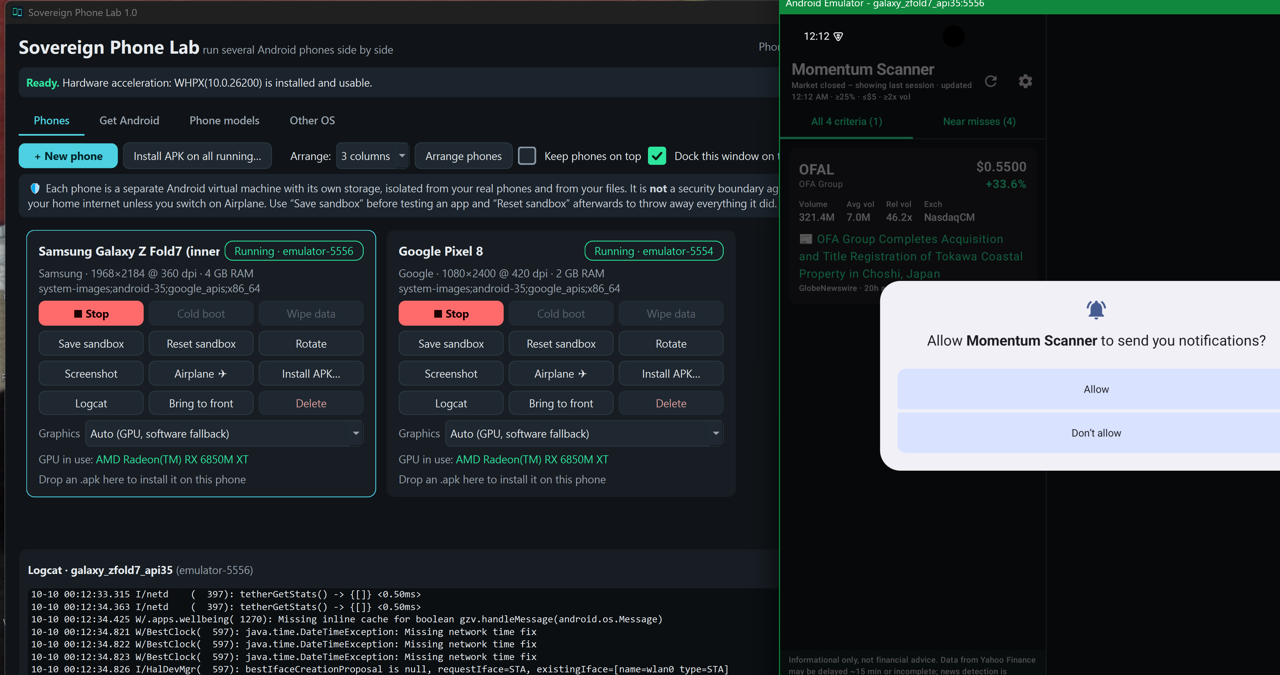
Sovereign Phone Lab: Two virtual phones runningTwo virtual phones running
Windowsv1.0.1

Sovereign Phone Lab

Run several Android phones side by side on your PC to try apps safely in a sandbox. Pick a phone model, download Android straight from Google, and install an app on every running phone at once.

Installation & requirements

Needs: Windows 10/11, 64-bit. Turn on Windows Hypervisor Platform (Start › “Turn Windows features on or off”, then restart). The first run downloads the Android emulator and phone images from Google. 35 MB.

Download ZIP
Sovereign Debloat app iconApp icon
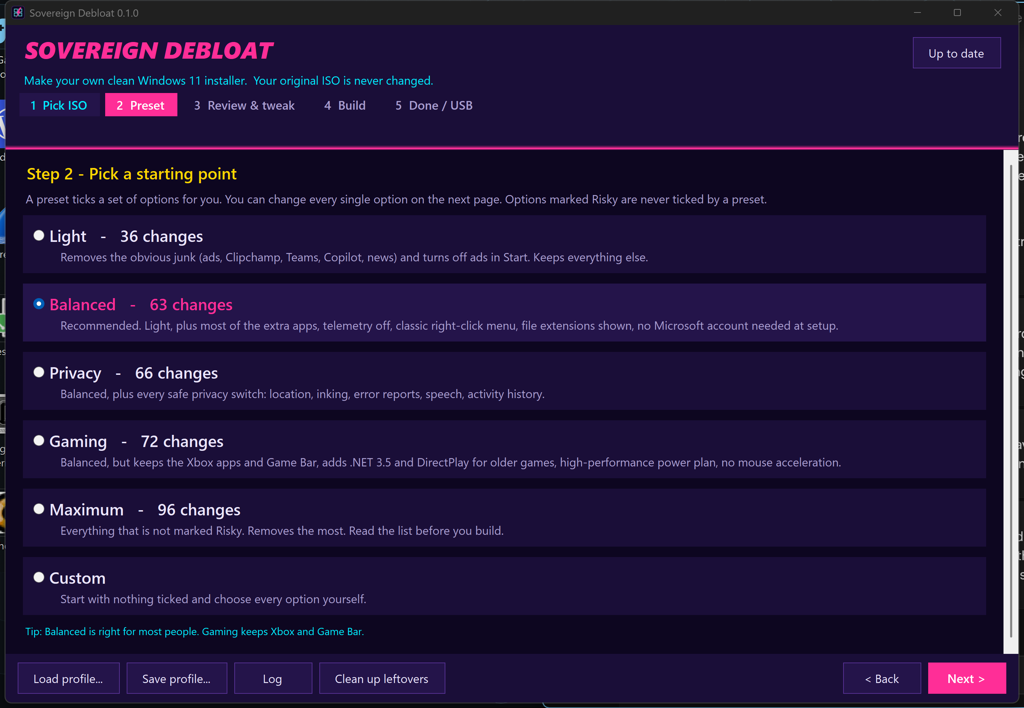
Sovereign Debloat: Windows 11 cleaner presetsWindows 11 cleaner presets
Windowsv0.2.1

Sovereign Debloat

Make your own clean Windows 11 installer. Pick a Windows 11 ISO from Microsoft, choose what to remove and change, and it builds a new ISO (and can write it to a USB stick). Your original ISO is never changed.

Installation & requirements

Needs: Windows 10/11, 64-bit, administrator rights and about 25-30 GB free on the work drive. 64 MB.

Download EXE
Sovereign Retro app iconApp icon
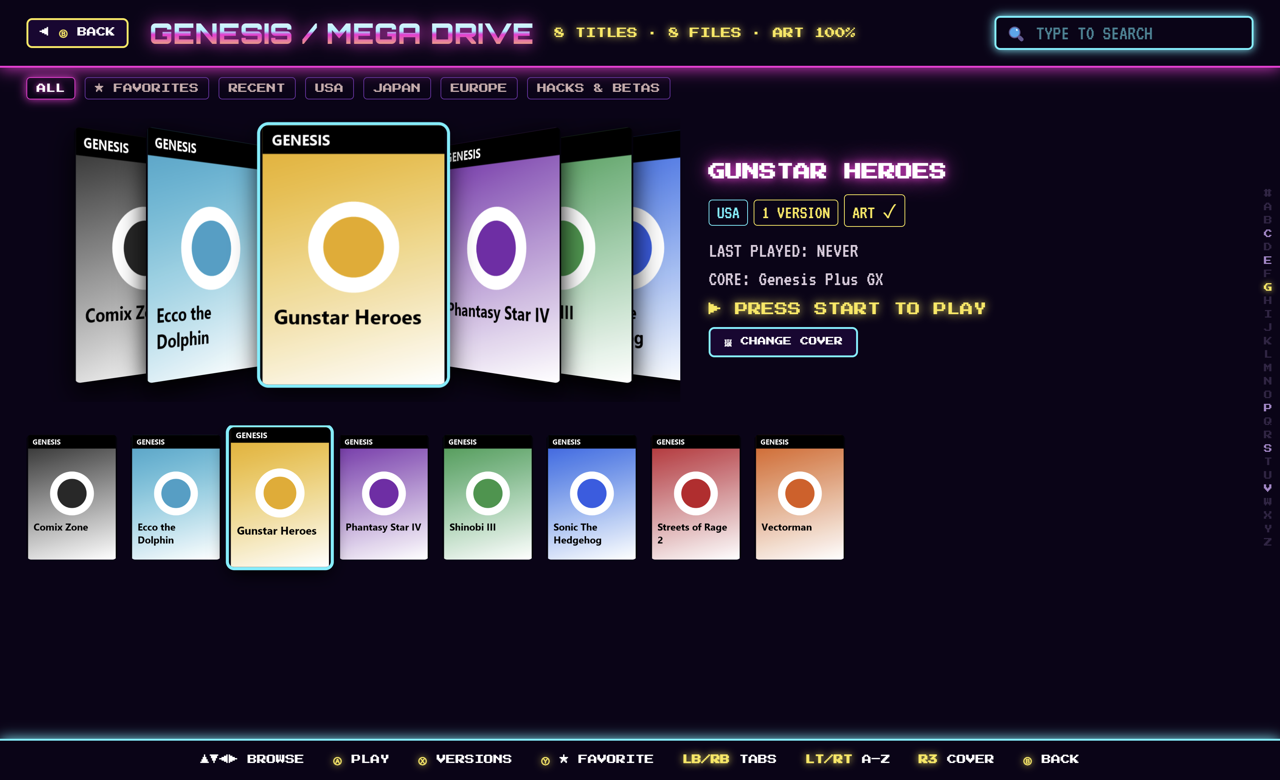
Sovereign Retro: Game library with cover artGame library with cover art
Windowsv0.6.2

Sovereign Retro

A retro game front end with box-art covers and the emulators built in. Bring your own games and BIOS files.

Installation & requirements

Needs: Windows 10/11, 64-bit. 317 MB.

Download EXE
Sovereign Torrent app iconApp icon
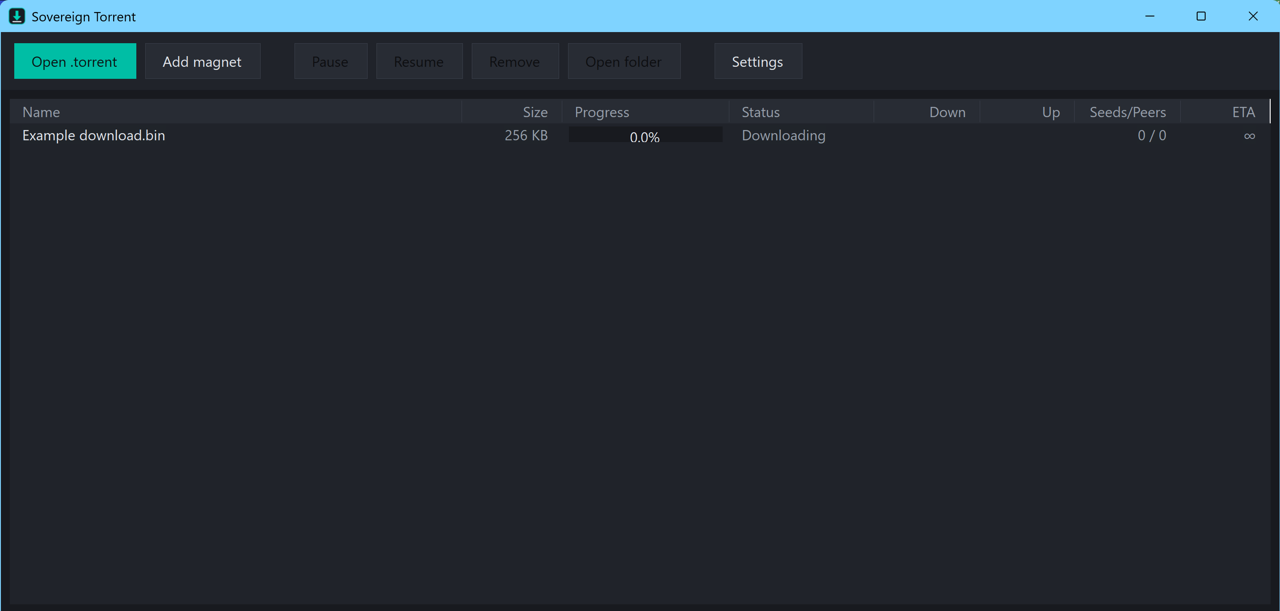
Sovereign Torrent: Download listDownload list
Windowsv0.1.4

Sovereign Torrent

Your own personal torrent downloader. No search, no ads, no indexers: you bring the .torrent file or magnet link and it downloads what you pick.

Installation & requirements

Needs: Windows 10/11, 64-bit. Nothing to install, just run the .exe. 69 MB.

Download EXE
Sovereign Reader app iconApp icon
Sovereign Reader: Sample library on WindowsSample library on Windows
Windowsv0.2.1

Sovereign Reader

A fast e-reader for your own library. Pick a folder and it sorts your books into categories with cover art, author and year, and opens PDF, EPUB, MOBI, AZW, CBZ, CBR, TXT and DOCX. It only reads your folder and never changes your files.

Portable: right-click the zip, choose Extract All, open the folder and run Sovereign Reader.exe.

Download ZIP
Sovereign Sensors app iconApp icon
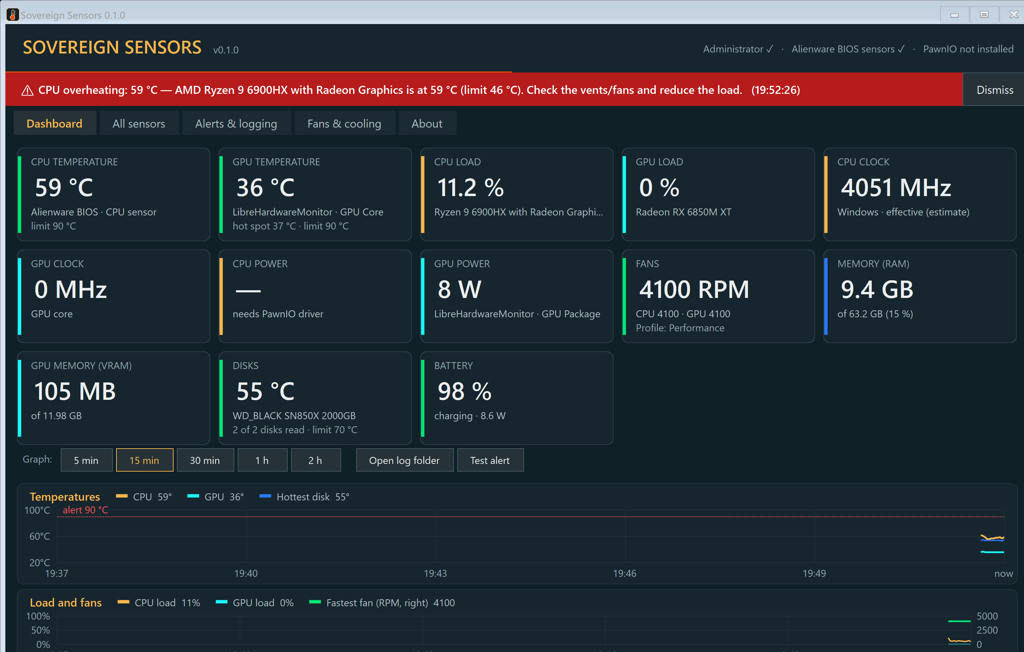
Sovereign Sensors: Hardware sensors with an alertHardware sensors with an alert
Windowsv0.3.2

Sovereign Sensors

Watch your PC’s temperatures, fans, load, clocks, power, memory and battery in one dashboard. Includes history graphs, overheating alerts, CSV logging and an automatic fan curve you can edit or turn off.

Installation & requirements

Windows 10/11, 64-bit. Asks for administrator rights to read hardware sensors. Readings and fan control depend on your PC; unsupported PCs still show fan speeds.

Download EXE